Measure behind the box
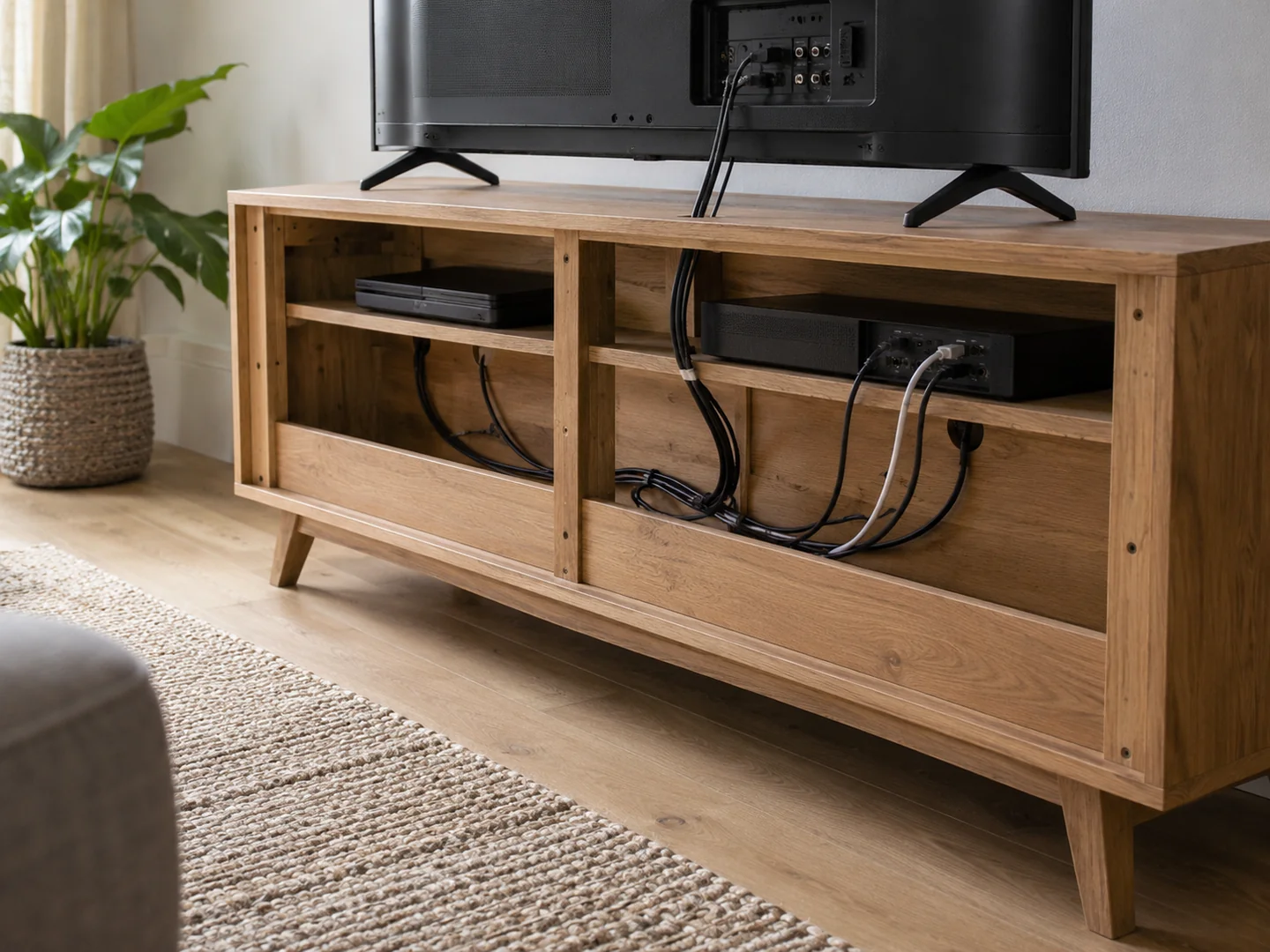
A device's listed depth may not include connected plugs and cables. Leave room for those connections to sit without sharp bends or pressure against the cabinet back. Check the actual connection positions: a side-mounted port creates a different requirement from one at the rear.
Read each device's ventilation instructions. An open shelf is not automatically adequate if the space above or beside the unit is too small. A decorative cabinet door may also obstruct airflow when closed. Choose furniture that accommodates the operating equipment rather than planning to leave the door ajar indefinitely.
A shelf that fits one device today may be too narrow for its replacement. You do not need to reserve space for every possible upgrade, but an adjustable shelf and a sensible cable opening offer some flexibility. Write down the model numbers of the equipment you are keeping so you can check their manuals while comparing cabinets. This is more reliable than choosing a unit because a similar-looking console or receiver appears in the product photograph. The photograph may not show the clearances behind or above it.
Keep access possible
You should be able to reach power switches and disconnect equipment when needed. Labelled cables can help identify which lead belongs to which device, but do not bind everything so tightly that connections are strained. Follow electrical safety guidance and avoid overloading sockets or extension equipment.
Cable openings need to be large enough for the plug, not merely the cable. A small hole can make a cabinet appear prepared for electronics while leaving no way to pass a connector through. Check whether the back panel is removable only where the manufacturer permits it; do not cut structural parts casually to make a device fit.
Remote controls may not work through every door material. Some equipment uses infrared signals that require a suitable line of sight, while other devices work differently. Test the actual arrangement or check the device requirements before deciding on opaque doors.
Separate equipment from spare accessories
Controllers, remotes and unused leads can have a nearby drawer or box. Keeping them off operating devices helps prevent ventilation openings from becoming covered by everyday clutter. Games and discs need their own measured shelf space instead of being stacked wherever a gap remains.
The unit supporting the television must be intended for that use and suitable for its weight and stand dimensions. Follow the television and furniture instructions for installation and stability. A pleasing height alone does not make another type of cabinet an appropriate television support.
Before filling the unit, operate the equipment in its intended arrangement and confirm that nothing is obstructed or difficult to reach. Recheck after adding the small accessories. Media storage is successful when it makes the system easier to use and maintain, not merely when it conceals the most cables from the sofa.